AI 程式輔助:GitHub Copilot 與 Cursor 實戰比較
AI Coding Assistants: GitHub Copilot vs Cursor in Practice
AIコーディング支援:GitHub CopilotとCursorの実践比較
從補全到對話式編程,深入比較 Copilot 與 Cursor 在真實開發場景中的差異與選擇建議。
From autocomplete to conversational coding, a practical comparison of GitHub Copilot and Cursor for real-world developer workflows.
自動補完から対話型コーディングまで、CopilotとCursorを実際の開発シーンで徹底比較。
這是《AI 工具實戰 30 天》系列第 7 篇,共 30 篇。前幾篇我們聊了 AI 寫作與工作流整合,這篇回到開發者的主場——程式碼。AI 編程工具在過去兩年快速成熟,從最早的 GitHub Copilot 到後起之秀 Cursor,選擇越來越多,但「哪個更好用」這個問題,答案其實取決於你的工作方式。
This is Part 7 of 30 in the AI Tools in Practice series. After covering writing workflows in previous posts, we’re shifting to a developer’s home turf — code. AI coding assistants have matured rapidly over the past two years. From GitHub Copilot to the newer Cursor, the options keep growing. But the answer to ‘which one is better’ really depends on how you work.
これは「AIツール実践30日間」シリーズの第7回(全30回)です。前回まではAIライティングとワークフロー統合を取り上げましたが、今回は開発者の本領であるコードに戻ります。AIコーディング支援ツールはここ2年で急速に成熟し、GitHub CopilotからCursorまで選択肢が増えています。ただし「どちらが優れているか」という問いの答えは、あなたの作業スタイルによって変わります。
GitHub Copilot:融入現有工作流的最低摩擦選擇GitHub Copilot: Lowest Friction for Existing WorkflowsGitHub Copilot:既存ワークフローへの最小摩擦な統合
Copilot 最大的優勢是「無縫嵌入」。你繼續用 VS Code 或 JetBrains,它在背景默默補全,不需要改變任何習慣。對於已有穩定開發環境的工程師,這種低侵入性非常友好。它的行內補全速度快、準確率在熟悉的語言(Python、TypeScript、Go)上表現穩定。Copilot Chat 也讓你可以在 IDE 內直接問問題、解釋程式碼或生成測試,不需要切換視窗。缺點是它的「感知範圍」相對有限,對大型專案的跨檔案理解較弱,有時補全結果缺乏上下文一致性。
Copilot’s biggest strength is seamless integration. You keep using VS Code or JetBrains, and it quietly handles completions in the background without changing your habits. For engineers with a stable dev setup, this low-friction approach is a big win. Inline completions are fast and accurate for popular languages like Python, TypeScript, and Go. Copilot Chat also lets you ask questions, explain code, or generate tests directly inside the IDE. The downside is its limited context window — cross-file understanding in large projects can feel shallow, and completions sometimes lack consistency with the broader codebase.
Copilotの最大の強みは「シームレスな統合」です。VS CodeやJetBrainsをそのまま使い続けながら、バックグラウンドで静かに補完してくれます。安定した開発環境を持つエンジニアにとって、この低摩擦なアプローチは大きなメリットです。Python・TypeScript・Goなどの主要言語ではインライン補完が速く正確です。Copilot ChatはIDE内で質問・コード説明・テスト生成も可能。一方、コンテキスト範囲が限られており、大規模プロジェクトでのファイル横断的な理解は弱く、補完結果がコードベース全体と一貫しないことがあります。
Cursor:以對話為核心的下一代編輯器體驗Cursor: A Next-Gen Editor Built Around ConversationCursor:対話を中心に設計された次世代エディタ体験
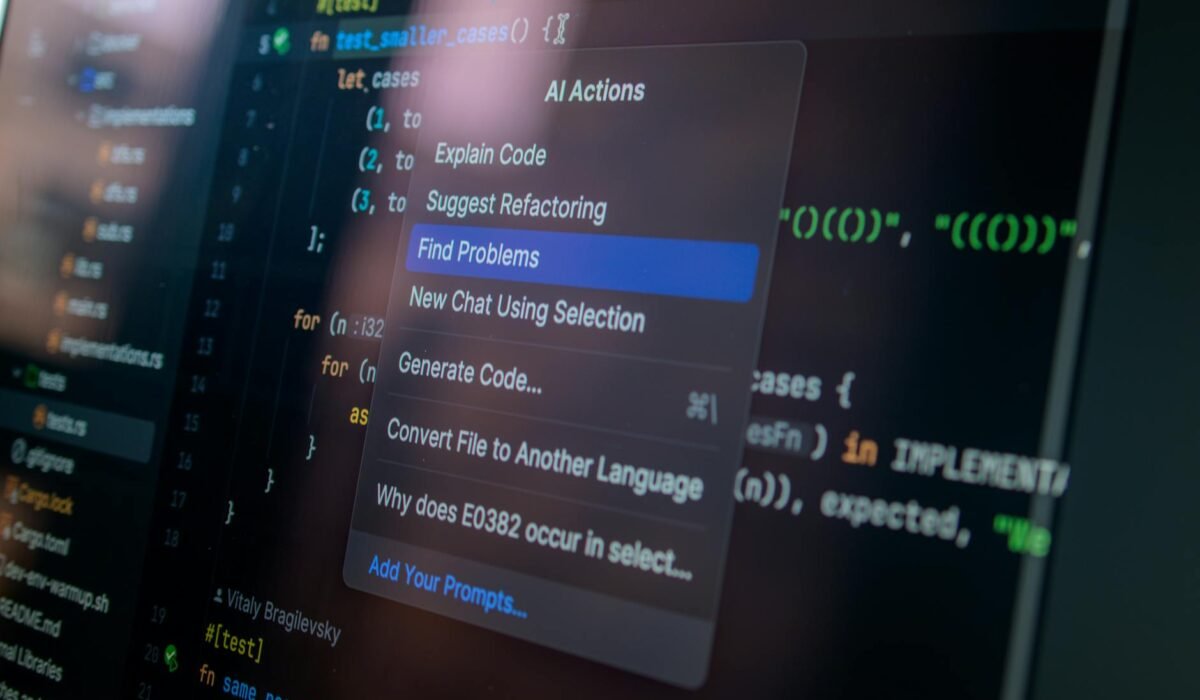
Cursor 是一個基於 VS Code fork 的獨立編輯器,AI 能力被深度整合進編輯器本身,而不是插件。它最強的地方在於「Composer」模式——你可以用自然語言描述需求,它會跨多個檔案同時生成或修改程式碼,並清楚標示每個變更。對於需要重構、新增功能或理解陌生程式碼庫的場景,Cursor 的效率明顯高出一截。它也支援直接引用本地檔案、文件或網頁作為上下文,讓 AI 的回應更貼近你的實際專案。缺點是你需要切換到一個新的編輯器,對於深度依賴特定 IDE 插件的開發者,遷移成本不可忽視。
Cursor is a standalone editor forked from VS Code, with AI deeply embedded into the editor itself rather than bolted on as a plugin. Its standout feature is Composer mode — you describe what you need in natural language, and it generates or edits code across multiple files at once, with clear diffs for every change. For refactoring, adding features, or navigating an unfamiliar codebase, Cursor’s efficiency is noticeably higher. It also lets you reference local files, docs, or web pages as context, making AI responses much more relevant to your actual project. The tradeoff is that you’re switching to a new editor, which carries real migration costs if you rely heavily on specific IDE plugins.
CursorはVS Codeをフォークした独立エディタで、AIがプラグインではなくエディタ本体に深く統合されています。最大の特徴は「Composer」モードで、自然言語で要件を記述すると複数ファイルにまたがってコードを生成・編集し、各変更を明確なdiffで表示します。リファクタリング・機能追加・未知のコードベース理解といった場面でCursorの効率は明らかに高いです。ローカルファイル・ドキュメント・Webページをコンテキストとして参照できるため、AIの回答が実際のプロジェクトにより適合します。デメリットは新しいエディタへの移行が必要な点で、特定のIDEプラグインに依存している開発者には移行コストが無視できません。
如何選擇:場景決定工具How to Choose: Let Your Use Case Decide選び方:ユースケースがツールを決める
如果你的日常工作是在熟悉的專案中快速迭代,Copilot 的低摩擦補全就夠用了。如果你經常需要理解新程式碼庫、做大範圍重構,或希望用對話方式驅動開發,Cursor 的投資回報更高。兩者並不互斥——有些開發者在主力機器用 Cursor,在輕量任務或 CI 環境中保留 Copilot。最終建議:給自己一週時間,在真實專案中各用三天,感受哪個更符合你的思維節奏,再做決定。
下一篇(第8篇)預告:Midjourney 實戰:設計師與非設計師都能用的圖像生成技巧
If your daily work involves fast iteration on familiar projects, Copilot’s low-friction completions are more than enough. If you frequently need to understand new codebases, do large-scale refactoring, or want to drive development through conversation, Cursor offers a better return on investment. The two aren’t mutually exclusive — some developers use Cursor as their primary editor and keep Copilot for lightweight tasks or CI environments. Final advice: give yourself a week, spend three days on each tool in a real project, and see which one matches your thinking rhythm before committing.
Next up — Part 8: Midjourney in Practice: Image Generation Tips for Designers and Non-Designers Alike
Previous: Writing with AI: A Complete Workflow from Draft to Publish
日常業務が慣れ親しんだプロジェクトでの高速イテレーションなら、Copilotの低摩擦な補完で十分です。新しいコードベースの理解・大規模リファクタリング・対話駆動の開発が多いなら、Cursorの投資対効果が高いです。両者は排他的ではなく、メイン機でCursorを使いつつ、軽量タスクやCI環境ではCopilotを残す開発者もいます。最終的なアドバイス:1週間かけて実際のプロジェクトでそれぞれ3日間試し、自分の思考リズムに合う方を選んでください。
次回(第8回)予告:Midjourney実践:デザイナーも非デザイナーも使える画像生成テクニック